- Imperial Edition
- Pre-Order Beta Rewards [PC ONLY]
- Pre-Order Bonus [PC ONLY]
- Devoted Rejects Pack (Vermintide) [STEAM ONLY]
- Vanguard Bundle
Imperial Edition
The Imperial Edition items are available to owners of the Imperial Edition only.
Please scroll for more information on how to locate these items.
NOTE: These rewards are not available to users playing via Steam Family Sharing.
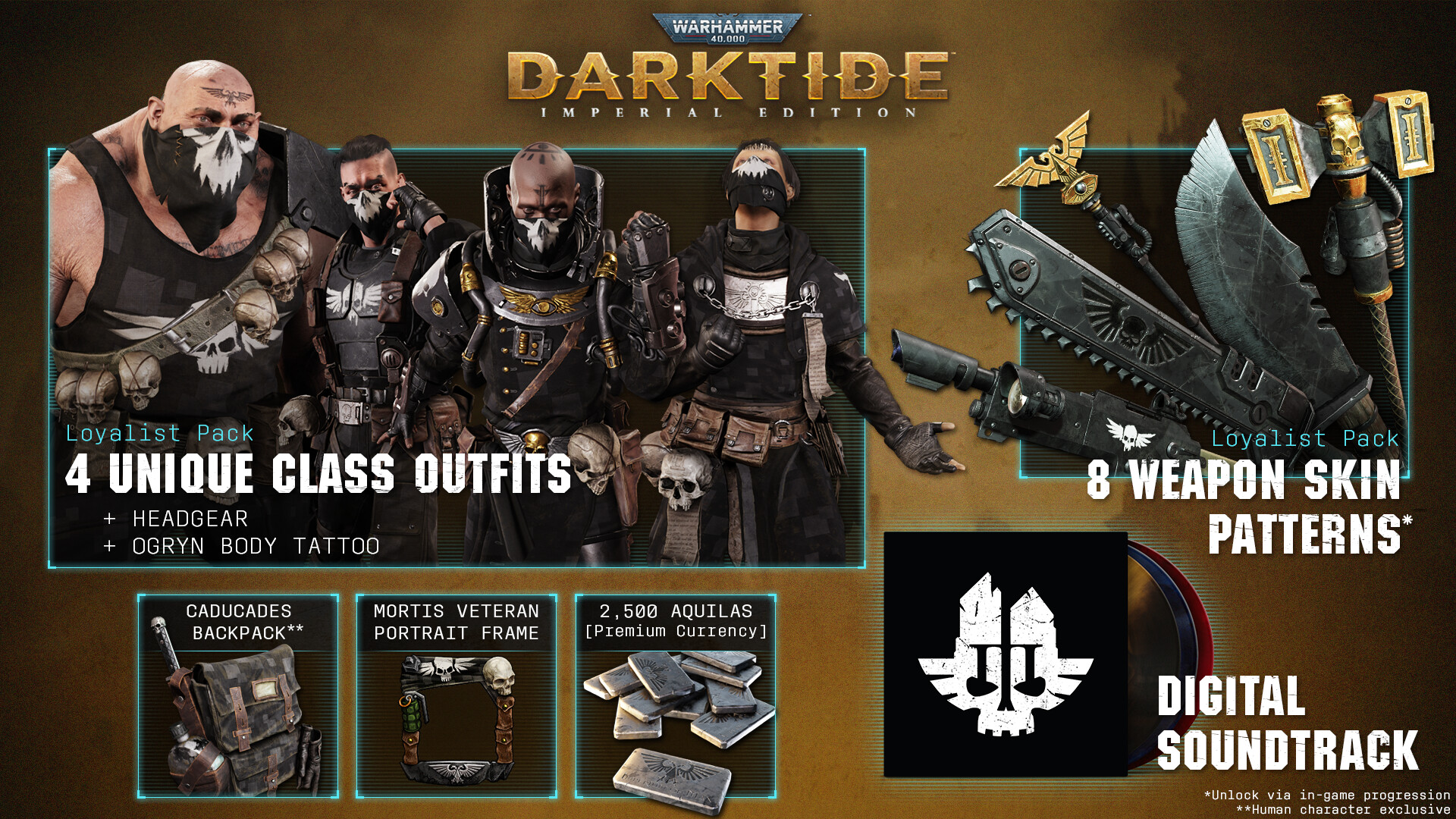
Soundtrack
The Darktide soundtrack will be available to owners of the Imperial Edition, regardless of when the Imperial Edition was purchased.
We are currently working on some issues around soundtrack entitlement and redemption. This means the soundtrack is not currently appearing for owners of the Imperial Edition as it should be.
You should be able to locate the soundtrack using the instructions below:
1. Restart the Steam client
2. Navigate to your Steam library
3. Select the 'All'/'Games' dropdown on the upper left-hand side and select 'Soundtracks'
4. The Darktide soundtrack should be listed in there and available to download to your chosen directory
NOTE: As of October 2023, we have been made aware of an issue in which owners of the Imperial Edition are not receiving the Darktide soundtrack as expected. We are working on resolving the issue.
Aquilas
2500 Aquilas will be added to your balance automatically upon login. Please note that there is no Aquila reward with the non-Imperial Edition of Darktide.
Character Cosmetics
Item Names
-
Head
- Mortis Rag Mask or Mortis Psykana Aegis (Psyker)
-
Upper Body
- Battlegear (Mortis Operative)
-
Lower Body
- Battlegear (Mortis Operative)
-
Portrait Frame
- Mortis Veteran
-
Accessory
- Caducades Backpack*
How to Apply: Cosmetics
- In The Mourningstar, press ESC to open the menu
- Select 'Operative'
- Select the 'Cosmetics' tab
- Select the 'Head', 'Upper Body' and 'Lower Body' slots to equip the body cosmetics
- In the 'Frame' and 'Accessories'* slots, you can equip the additional Imperial Edition items
*Human characters only
Weapon Skins
Item Names
- Infantry Autogun (Mortis Operative)
- Assault Chainsword (Mortis Operative)
- Cleaver (Mortis Operative)
- Trauma Force Staff (Mortis Operative)
- Blaze Force Sword (Mortis Operative)
- Infantry Lasgun (Mortis Operative)
- Ripper Autogun (Mortis Operative)
- Thunder Hammer (Mortis Operative)
How to Apply
- In The Mourningstar, press ESC to open the menu
- Select 'Operative'
- Select the 'Loadout' tab
- Select the 'Primary Weapon' or 'Secondary Weapon' slots
- Choose a weapon that is compatible with the Imperial Edition Weapon Skins
- Select 'Appearance' [C]
- Select the '(Mortis Operative)' Weapon Skins
- Select 'Confirm'
Ogryn Body Tattoo
How to Apply
- Visit the Barber-Chirurgeon, or apply when creating a new Ogryn

Pre-Order Beta Rewards [PC ONLY]
The Pre-Order Beta Rewards (Helmets) are available to those who participated in the Pre-Order Beta.
Please scroll for more information on how to locate these items.
NOTE: It is necessary to have participated in the Pre-Order Beta (17th - 30th November 2022) to receive these rewards; those that participated in the Closed Beta (14th - 16th October 2022) are not eligible.
NOTE: These rewards (Helmets) are not available to users playing via Steam Family Sharing.
Item Names
-
Veteran
- Recon Company Beta Vanguard Helm
-
Psyker
- Recon Company Beta Helm and Psykana Collar
-
Zealot
- Helm of the Devoted, Bearing a Seal of Intolerance
-
Ogryn
- Beta Company Flak Helm (Size: XXXXXL)
How to Apply
- In The Mourningstar, press ESC to open the menu
- Select 'Operative'
- Select the 'Cosmetics' tab
- In the 'Head' slot, you can equip the Pre-Order Beta Helmets
Pre-Order Bonus [PC ONLY]
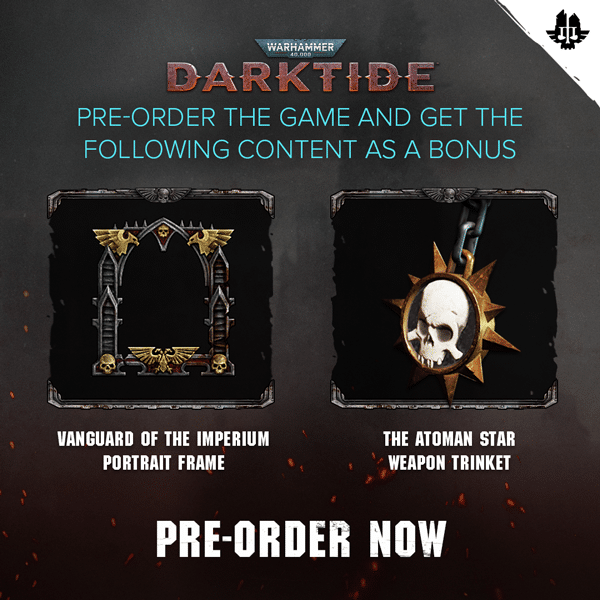
The Pre-Order Bonus is available only to users who pre-ordered Darktide (both normal and Imperial Editions).
Please scroll for more information on how to locate these items.
NOTE: These rewards are not available to users playing via Steam Family Sharing.
Item Names
- Vanguard of the Imperium Portrait Frame
- The Atoman Star Weapon Trinket
How to Apply: Portrait Frame
- In The Mourningstar, press ESC to open the menu
- Select 'Operative'
- Select the 'Cosmetics' tab
- In the 'Frame' slot, you can equip the 'Vanguard of the Imperium' Portrait Frame
How to Apply: Trinket
- In The Mourningstar, press ESC to open the menu
- Select 'Operative'
- Select the 'Loadout' tab
- Select the 'Primary Weapon' or 'Secondary Weapon' slots
- Choose a weapon
- Select 'Appearance' [C]
- Select the 'Trinkets' tab as pictured below:
- Select the 'The Atoman Star' Weapon Trinket
- Select 'Confirm'
Devoted Rejects Pack (Vermintide) [STEAM ONLY]
Both Warhammer: End Times - Vermintide or Warhammer: Vermintide 2 owners will have access to the cosmetics listed below.
Please scroll for more information on how to locate these items.
NOTE: These rewards are not available to users playing via Steam Family Sharing.

How to Apply
- Visit the Barber-Chirurgeon, or apply when creating a new character
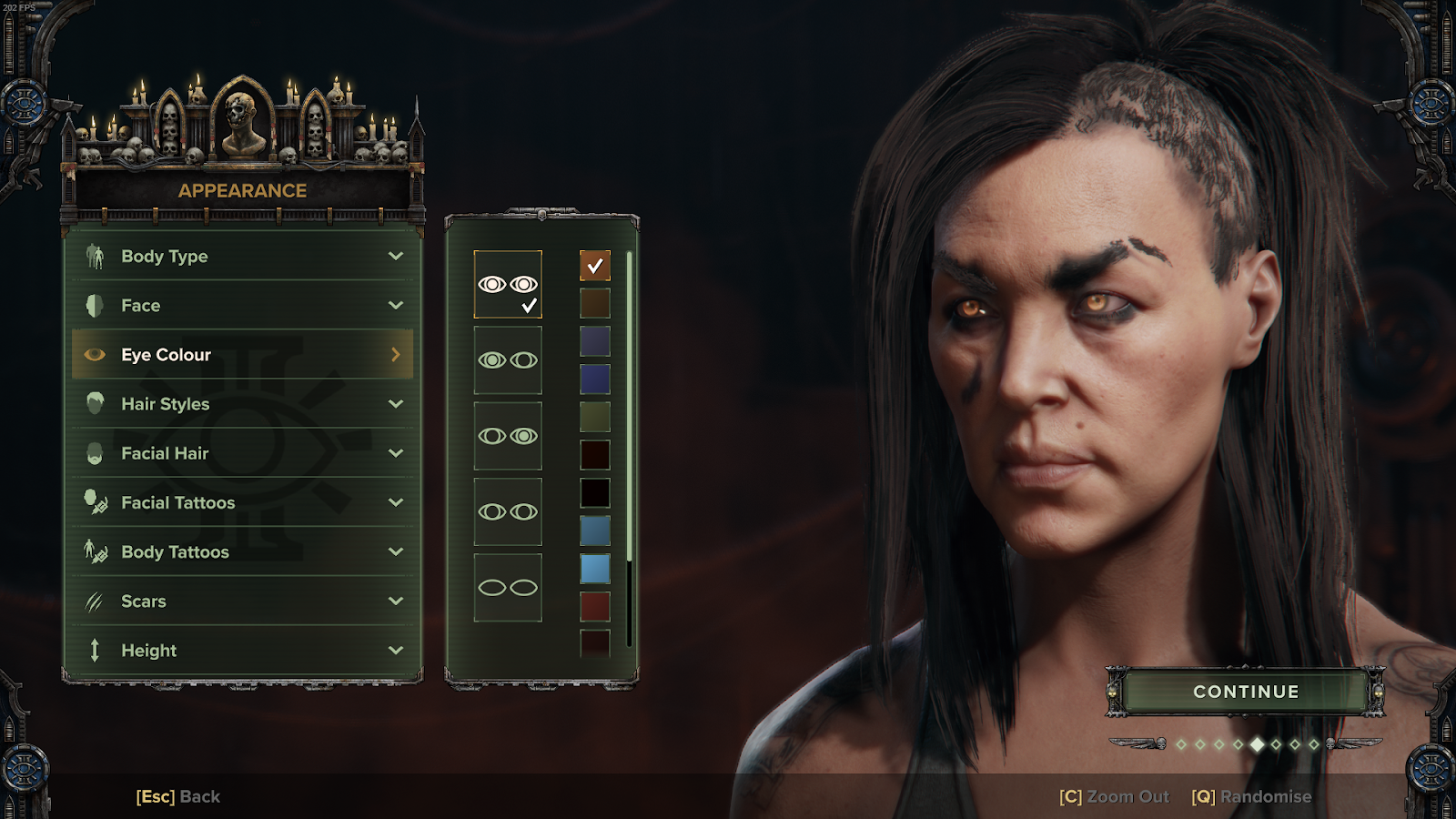
Eye Colours
Kerillian's Eye Colour (All Characters)

Sienna's Eye Colour (Psyker Only)
Hair Styles
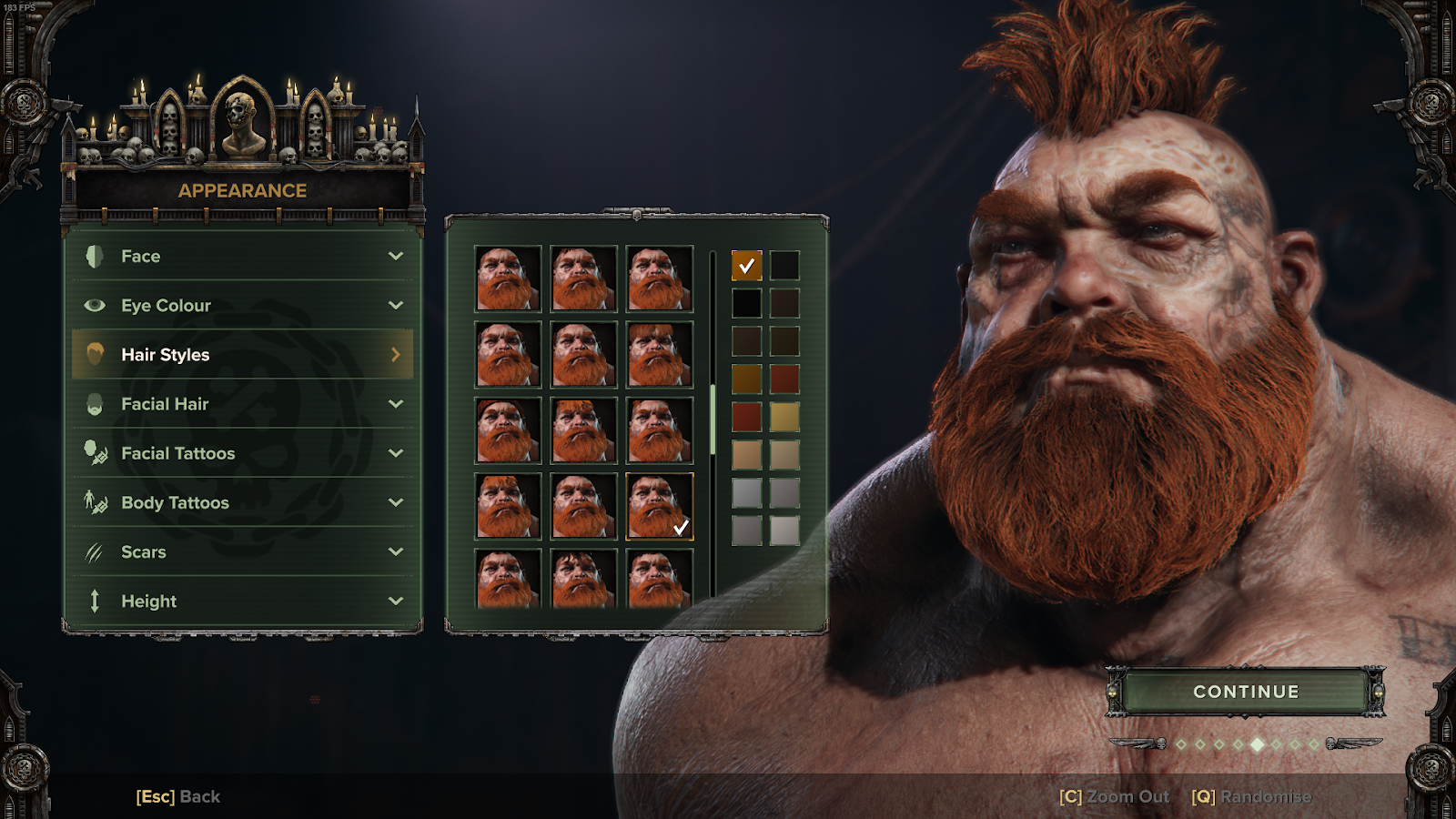
Sienna's Hair Colour (Excluding Ogryn)

Kerillian's Hair Colour (Excluding Ogryn)

Bardin's Hairstyle & Hair Colour (Ogryn Only)
Facial Hair
Kruber's Moustache (Human Male)

Victor's Eyebrow (Human Male)

Facial Tattoos
Sienna's Face Tattoo (Human Only)

Body Tattoos
Kerillian's Body Tattoo (Human Only)

Kruber's Body Tattoo (Human Only)

Victor's Body Tattoo (Human Only)

Sienna's Body Tattoo (Human Only)

Bardin's Body Tattoo (Ogryn Only)

Vanguard Bundle
The Vanguard PC Bundle was awarded to those that played Darktide on PC only prior to the 17th of November, 2023, and was added to the inventories of those that met this criteria at the end of November 2023. [Announcement]
NOTE: Fatshark Support cannot add the Vanguard PC Bundle to your account.
NOTE: These rewards are available to users playing via Steam Family Sharing.

Item Names
-
Veteran
- Tactical Moebian 21st Rebreather Head
- Tactical Moebian 21st Flak Vest Upper Body
- Tactical Moebian 21st Fatigues Lower Body
-
Zealot
- Devoted Moebian 21st Rebreather Head
- Devoted Moebian 21st Flak Vest Upper Body
- Devoted Moebian 21st Fatigues Lower Body
-
Psyker
- Psykana Moebian 21st Rebreather Head
- Moebian 21st Psykana Tunic Upper Body
- Padded Moebian 21st Fatigues Lower Body
- Psykana Moebian 21st Rebreather Head
-
Ogryn
- Moebian 21st Rebreather (XXXXL) Head
- Moebian 21st Flak Vest (XXXXL) Upper Body
- Moebian 21st Fatigues (Hive Streets Camo, XXXXL) Lower Body
- Rocyrian Canvas III Tattoo
-
Other
- Moebian 21st Backpack Accessory
- Headtaker Portrait Frame
- Blind Justice Portrait Frame
- 21st Recon Insignia Insignia
How to Apply
- In The Mourningstar, press ESC to open the menu
- Select 'Operative'
- Select the 'Cosmetics' tab
- Select the 'Head', 'Upper Body' and 'Lower Body' slots to equip the body cosmetics
- In 'Frame' and 'Accessories' slots, you can equip the additional Vanguard Bundle items